For all you space lovers and frontier explorers, Space Haven x Going Medieval may be the thing that you didn’t know you needed. They recently launched into 1.0, too. Look at us!
History aficionado and sky admirer? Ground of Aces x Going Medieval bundle is here to test your planning, building and survival skills big time. Also GoA has a very slick artstyle!
Now, time for another round of Medieval Monday Talks. Let us start with some simple but meaningful improvements.
The stability system is the foundation (hehe) of the game’s elements. Each structure has a stability value that determines whether you can attach another structure to them.
When placed on the ground, the structure’s stability has a value of 4. Each structure attached to it will have -1 stability the farther off it is placed from the original point (if no other support is provided).
Simply put, if you build a wall and a floor on it, you will be able to put 3 more floors adjacent to each other before you are prevented from placing more due to lack of stability.
A nice visual of this system can be seen within the game by going to Almanac > Systems > Stability.
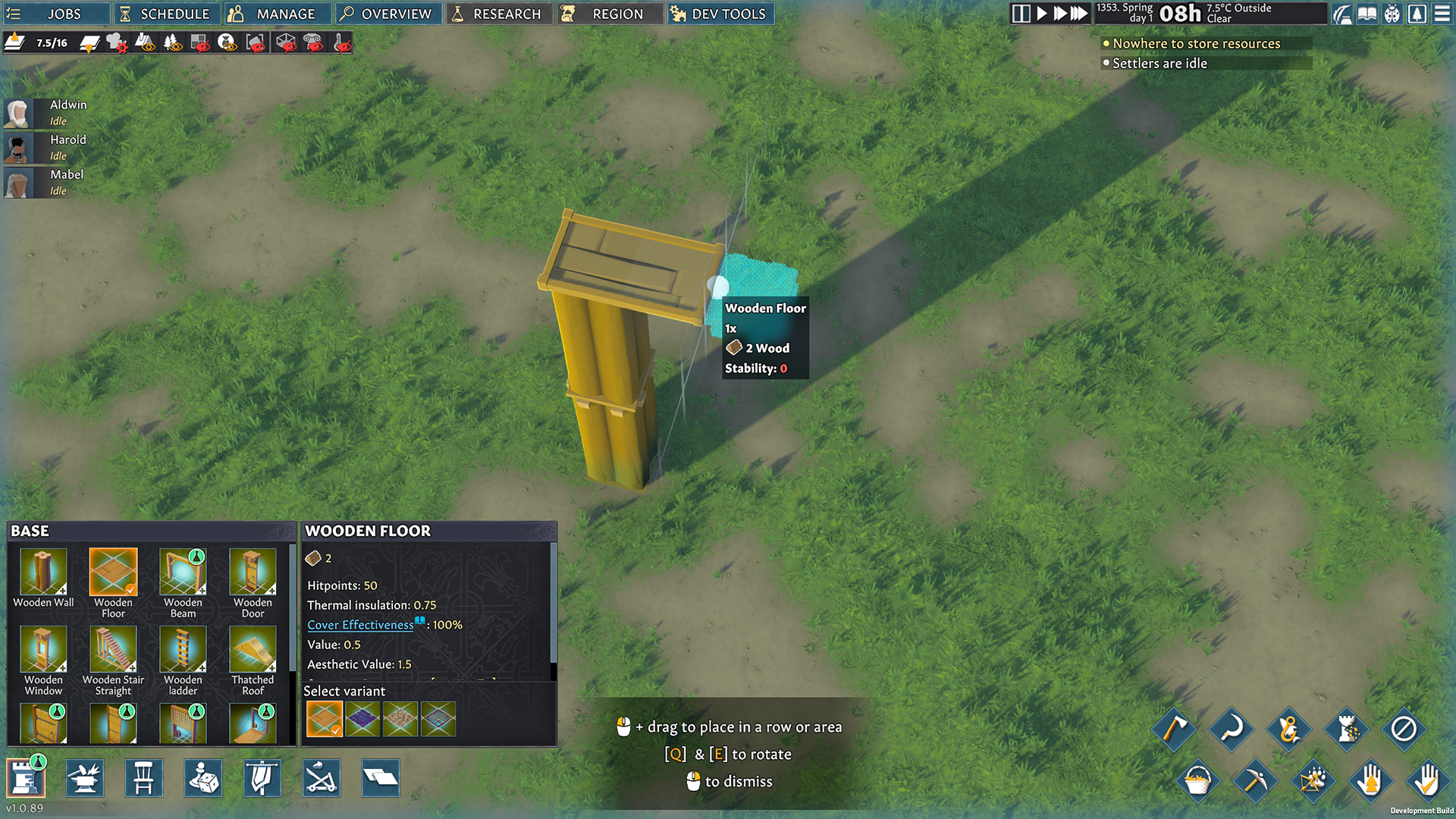
That is all good and well, but the system can be more intuitive. Right now, you can check the structure’s stability by selecting it. And when there is not enough stability, the game would simply throw this message:
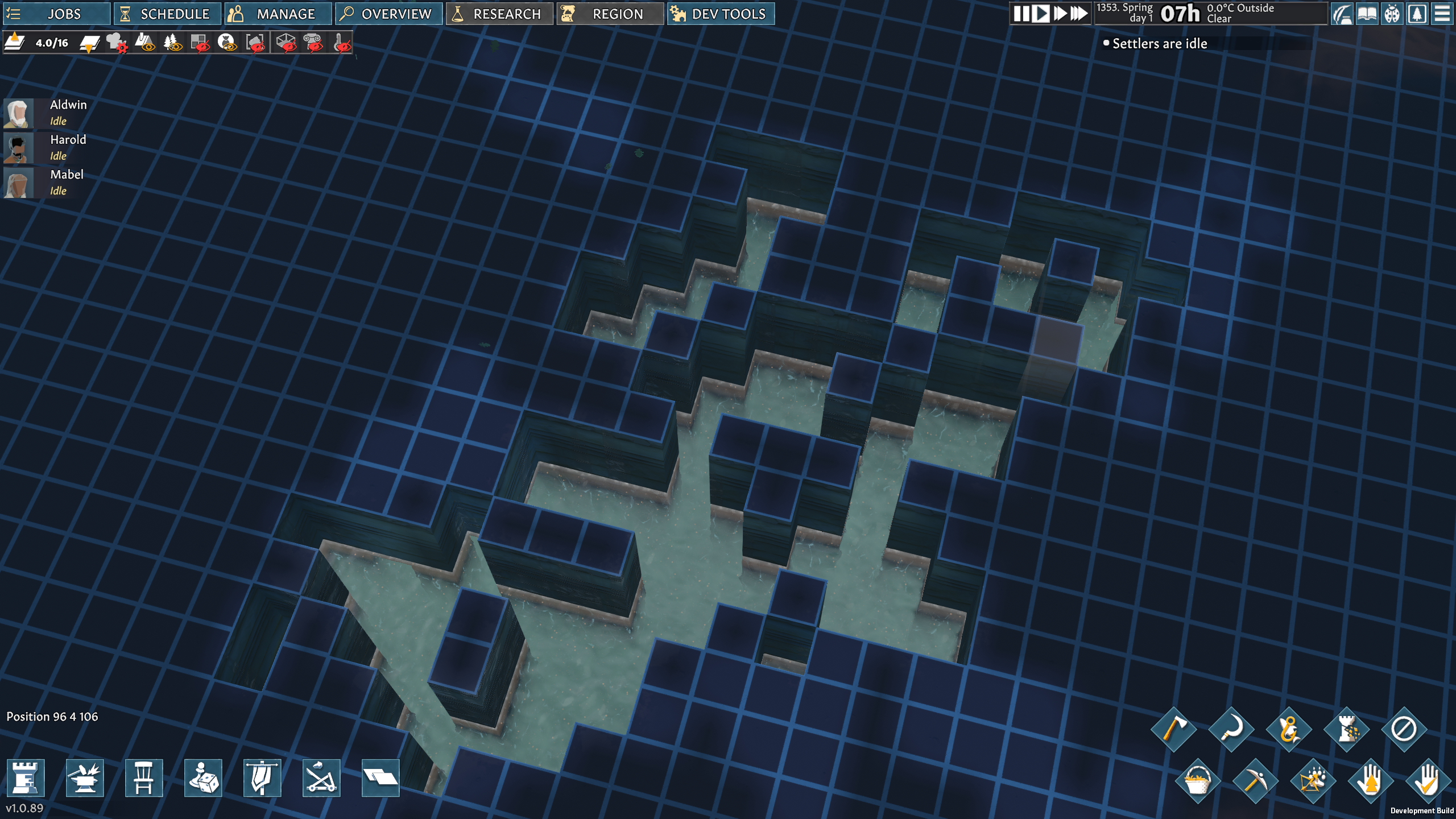
Also, underground waters are a thing and some folks may forget that from time to time, asking “why is stability 2 when I am building on a stable ground.
It’s always good to check lower levels, just in case.
A lot of you like to blueprint the heck out of your settlement and that will be much easier with the upcoming mining/construction update. Some of you like to make adjustments to the existing buildings only for some parts of it to collapse unexpectedly.
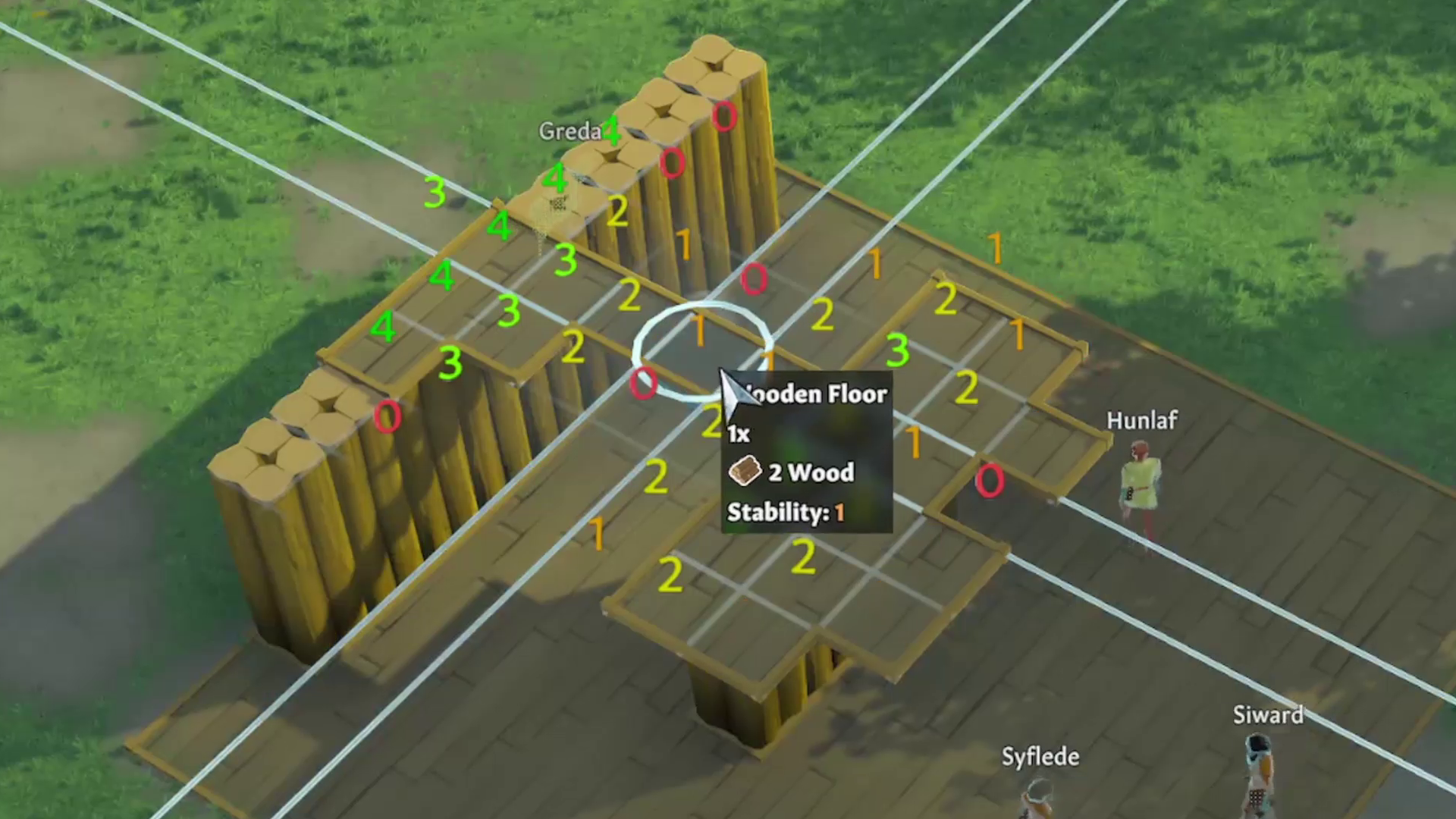
All those things pointed out that we need to tweak stabilization visuals a bit. The answer is pretty simple, but the implementation took a bit. We plan to incorporate the stability visualization toggle. Once selected, it will show you stability around your cursor location. Behold:
When you hover over an area or start placing a blueprint, the game checks the nearby construction points and displays their current stability value directly in the world. Instead of having to guess how well a structure is supported, you can now see the stability numbers around the placement area while building.
The technical side is built to keep this lightweight. Behind the scenes, the system gathers stability data from the relevant nearby points, then displays small camera-facing markers over them. Each marker uses a different part of the same texture depending on the stability value, so the game can quickly show values from 0 to 4 without needing separate objects for every number.
In practice, this means the game can show a lot of useful building information quickly, without cluttering the scene with heavy UI elements.
The system also adapts depending on what the player is doing. It can show stability during a simple hover, while dragging a blueprint in one direction, or while dragging out a larger two-axis building area. This should make planning floors, roofs, and unsupported extensions much clearer.
But we are not stopping here, we are also working on a couple of exciting QoL improvements – one that is demanded by a lot of players. But all in due time. Talk to you in two weeks, but until then be sure to…